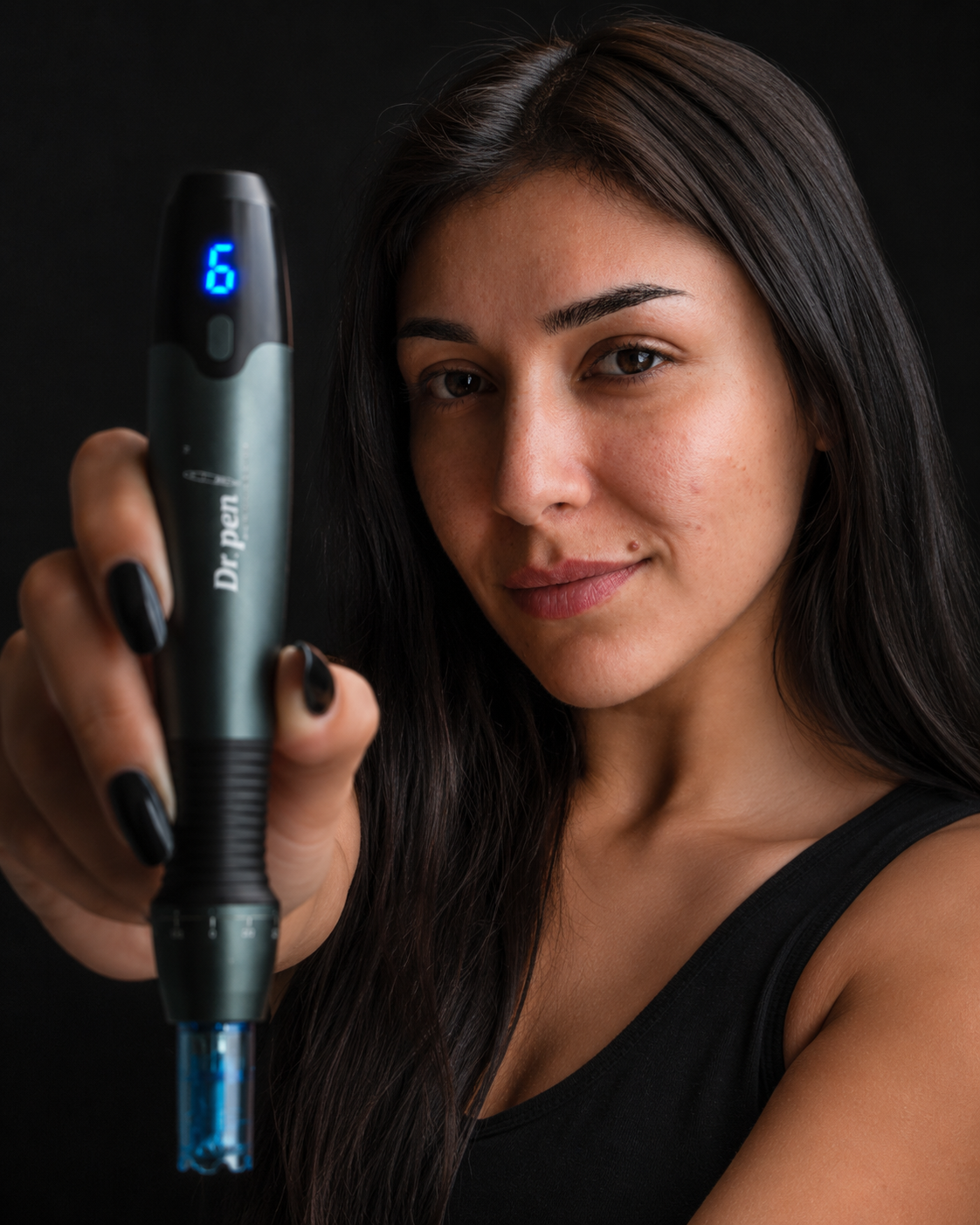
Replacing a cartridge should be simple, but Dr. Pen devices are not designed around one universal tip. This dr pen cartridge compatibility chart gives you a model-first way to match your pen with the correct replacement cartridges before you open a sterile pack, place an order or plan a treatment session.
The key rule is simple: choose by device model first, then by pin count or tip type. A 36 pin cartridge for one pen may look similar to a 36 pin cartridge for another, but the connector, cartridge length and internal drive fit can be different.
Dr Pen cartridge compatibility chart: quick reference
Use the table below as a practical starting point for the most common Dr. Pen models sold for at-home and clinic use. Always confirm the model name on your device body, box or order history before buying.
| Dr. Pen model | Cartridge family to choose | Common options you may see | Compatibility notes |
|---|---|---|---|
| Dr. Pen A20 | A20 specific cartridges | 12, 24, 36, 42 and nano options, depending on listing | Do not choose by pin count alone. The cartridge listing should name A20. |
| Dr. Pen M8S | M8S compatible cartridges | 12, 24, 36, 42 and nano options | Choose listings that specifically mention M8S or your exact model fitment. |
| Dr. Pen M8 | M8 compatible cartridges | 11 or 16, 24, 36, 42 and nano options, depending on the region and pack | Similar model names do not guarantee cross fit with M8S unless the listing says so. |
| Dr. Pen A11 | A11 cartridges | Pin options vary by pack | Match the cartridge page to A11 rather than assuming another A series cartridge will fit. |
| Dr. Pen A8S | A8S Ultima cartridges | 12, 24, 36, 42 and nano options may be available | A8S cartridges are not automatically interchangeable with A10, A11 or M series cartridges. |
| Dr. Pen A10 | A10 Ultima cartridges | 12, 24, 36, 42 and nano options may be available | Look for A10 in the product title or compatibility notes. |
| Dr. Pen M9 | M9 cartridges | Pin options vary by listing | M9 cartridges should be purchased as M9 compatible parts. |
| Hydra Pen H3 | H3 Hydra Pen tips or cartridges | Hydra style delivery tips | These are not standard microneedling pen cartridges. |
| Hydra Pen H6 | H6 Hydra Pen tips or cartridges | Hydra style delivery tips | Match to H6 specifically, especially when buying replacement heads. |
| Dr. Pen A6S | A6S cartridges | Face and body combo packs may be available | Choose A6S specific packs, not A8S or A10 packs. |
| Dr. Pen A9 or Ultima 10X | A9 or Ultima 10X cartridges | 12, 24, 36, 42 and nano options may be available | Buy only listings that name A9, Ultima 10X or your exact device. |
This Dr Pen cartridge compatibility chart is meant to narrow the cartridge family, not replace the instructions on the cartridge listing. If a product page names your exact model, that listing should take priority over assumptions based on appearance.
If you own the M8S, the dedicated Dr Pen M8S cartridge compatibility guide goes deeper into compatible pin options. A20 users can also review the Dr. Pen A20 cartridge guide for model-specific cartridge details.
How to read the chart before you order
Start with the model name printed on the pen or shown in your original order. Dr. Pen model names can be close, especially across the A series and M series, so a visual match is not enough.
Before you add cartridges to your cart, check four things:
- The device model named in the cartridge product title
- The compatibility notes on the product page
- The pin count or tip type you want for the session
- The packaging condition, especially that the cartridges are sealed and unused
The connector matters more than the number of needles. A 42 pin cartridge can be correct for one device and completely wrong for another. If the model name is missing from the listing, ask support before buying.
Why cartridges are not universal
The Dr Pen cartridge compatibility chart matters because a microneedling cartridge is both a tip and a moving mechanical part. The pen has to grip the cartridge securely, move the needle plate correctly and maintain stable contact while the device is operating.
Small differences in the cartridge collar, bayonet fitting, inner stem or overall length can prevent a cartridge from locking in place. Even if a cartridge appears to attach, poor fit can cause wobbling, inconsistent needle movement or trouble adjusting depth.
Sterility is part of compatibility too. Microneedling cartridges are intended to be sterile, single use consumables. The FDA overview of microneedling devices explains that microneedling can carry risks when devices are not used correctly, including infection and skin injury. Correct cartridges, clean handling and following the device instructions all matter.
Pin counts and tip types still matter
Once the Dr Pen cartridge compatibility chart confirms the correct cartridge family, you can choose the pin count or tip type that fits your goal. Pin count does not change the model fit, but it does affect how the cartridge is typically selected.
| Cartridge type | Common reason people choose it | Practical note |
|---|---|---|
| 12 pin | More focused microneedling areas | Often chosen when precision matters more than coverage. |
| 24 pin | Balanced face coverage | A common general option when compatible with the device. |
| 36 pin | Broader coverage | Often selected for larger treatment zones and efficient passes. |
| 42 pin | Wider needle array | Check device compatibility carefully because 42 pin packs are model specific. |
| Nano | Product application and very superficial cosmetic use | Nano tips are not the same as needle cartridges and should still match your model. |
For a deeper comparison of needle counts, see the Dr. Pen Store guide to 12 vs 24 vs 36 vs 42 pin cartridges. It explains how cartridge styles differ once model compatibility has already been confirmed.

Model notes for popular Dr. Pen devices
Use the Dr Pen cartridge compatibility chart as a starting point, then apply the model notes below when you are comparing similar devices or upgrading from an older pen.
Dr. Pen A20
The FDA-cleared Dr. Pen A20 should be paired with A20 cartridges. This is especially important because newer device families often use their own cartridge system, even when the available pin counts look familiar. If you are choosing between nano, 12 pin, 24 pin, 36 pin or 42 pin options, confirm A20 compatibility first and pin count second.
Dr. Pen M8S and M8
The M8S is one of the models where shoppers often compare cartridge listings closely because the M8 and M8S names look similar. Do not assume cross compatibility unless the cartridge listing names both models or specifically names your device. If your pen is an M8S, choose M8S compatible cartridges and use the depth, speed and handling instructions that came with the device.
Dr. Pen A8S, A10, A11, A6S and M9
These models should be treated as separate cartridge families. For example, an A10 cartridge listing is not a general A series listing unless it says so. The same logic applies to A8S, A11, A6S and M9. If the model number in the cartridge title does not match your device, do not rely on the pin count to make it work.
Hydra Pen H3, Hydra Pen H6 and needle-free alternatives
Hydra Pen H3 and H6 devices use Hydra style replacement tips or cartridges designed for their liquid delivery format. These should not be confused with standard Dr. Pen microneedling cartridges.
If you are researching cartridges because you want a skin care device but do not want needle cartridges at all, a needle-free option may be more relevant. The Bio Pen T6 Professional RF & EMS Skin Tightening Device is a separate type of device that combines 1 MHz radio frequency, five-level EMS, 455 nm blue LED light and rotary massage, so cartridge compatibility is not the deciding factor.
Buying and storage checklist
Before you rely on any Dr Pen cartridge compatibility chart, make sure the cartridge pack is genuine, sealed and listed for your exact model. Compatibility is not only about fit. It is also about using a cartridge that is clean, undamaged and appropriate for the device.
A good pre-purchase check includes:
- Confirming the full device name, such as A20, M8S or A10
- Matching that name to the cartridge product title or compatibility section
- Choosing the pin count only after model fit is confirmed
- Avoiding loose, opened or unlabeled cartridges
- Storing sealed cartridges in a clean, dry place
- Disposing of each cartridge after one session and never sharing cartridges
If you are unsure, contact Dr. Pen Store support with a photo of your device and the cartridge pack you are considering. That is safer than guessing from shape or pin count.
Frequently Asked Questions
Can I use an M8S cartridge on an A20? No. Use cartridges listed for the A20 unless a product page clearly states otherwise. M8S and A20 cartridges should be treated as different cartridge families.
Is this Dr Pen cartridge compatibility chart enough to choose a cartridge? It is a strong starting point, but the final check should always be the product listing, your device manual or support confirmation. Model names and regional cartridge packs can vary.
Can I reuse a Dr. Pen cartridge if I clean it? No. Microneedling cartridges are intended for single use. Cleaning does not restore sterile condition, and reuse can increase the risk of irritation, contamination or infection.
Are nano cartridges compatible with every Dr. Pen model? No. Nano describes the tip type, not universal fit. Choose a nano cartridge that is specifically listed for your device model.
What should I do if my cartridge does not lock into the pen? Stop using it and check the model compatibility. Do not force the cartridge into place. Forcing the fit can damage the pen, the cartridge or both.
Choose cartridges by model, not by guesswork
The safest way to buy Dr. Pen replacement cartridges is to match the exact model first, then select the pin count or tip type that suits your routine. When in doubt, use the product page compatibility notes or ask support before opening a cartridge pack.