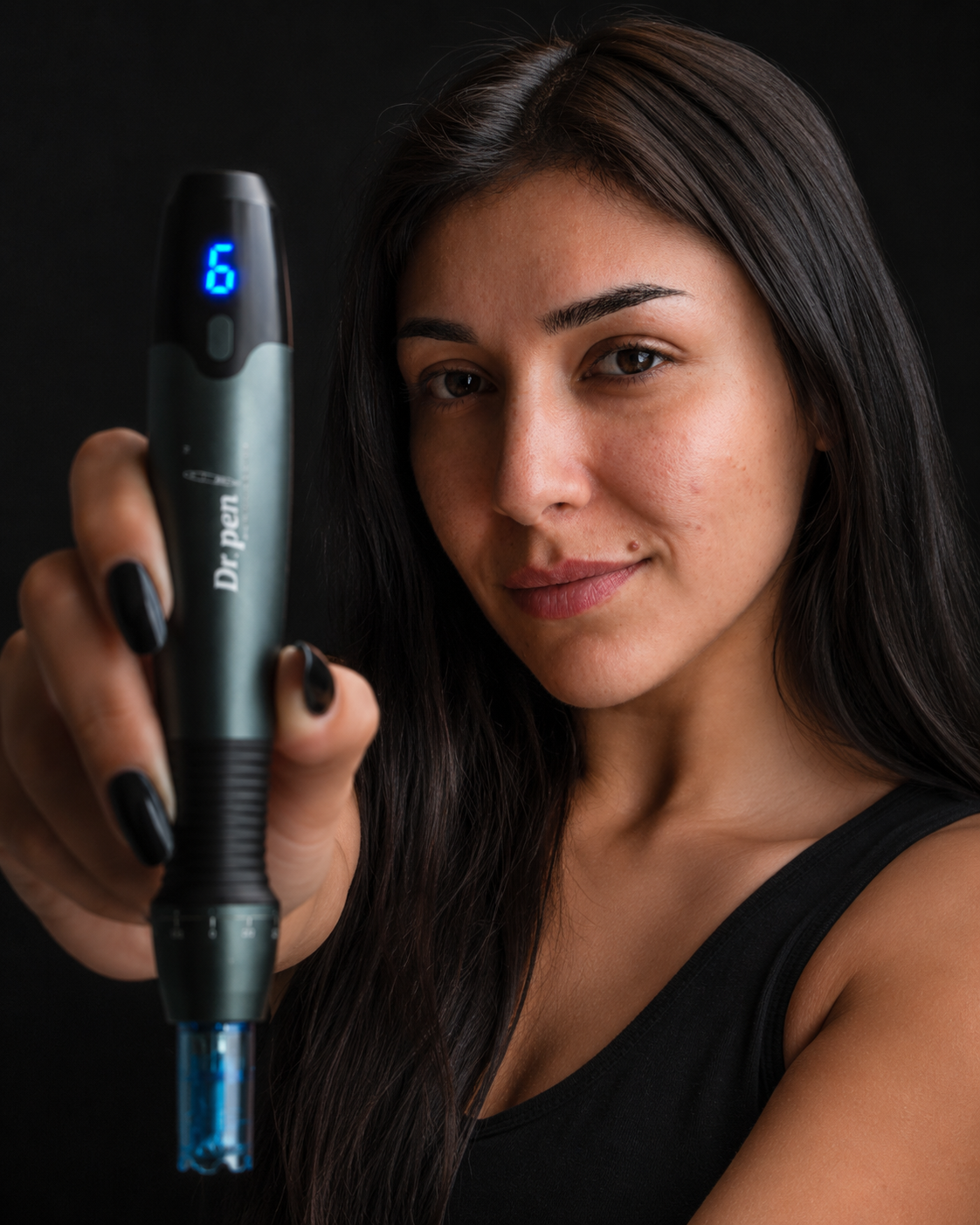
A genuine Dr Pen needs more than a convincing logo, sealed box or seller’s promise. The strongest evidence is a manufacturer-backed authentication result that agrees with the device you received, supported by consistent model details and a traceable purchase. Before opening a cartridge or using the pen, check those details together rather than treating any single feature as proof.
This seven-check inspection focuses on the delivered product: what to photograph, which details to compare and when to pause. It also separates three problems that can look similar: a potentially counterfeit device, a genuine but incorrectly supplied model and an authentic product with damaged or unsuitable accessories.
Keep the packaging, order confirmation and labels until your questions are resolved. Avoid posting complete authentication codes publicly, and do not use the device while its identity or condition remains uncertain.
7 checks to verify a genuine Dr Pen
Work through these checks in order. Visual details help identify inconsistencies, but they cannot replace confirmation through a trusted manufacturer verification route.
1. Confirm who sold you the device
Start with the transaction, not the branding on the box. Your order confirmation should identify the seller, the model purchased and the contents promised. Save the original listing or take screenshots before it changes.
Compare the seller’s website, payment receipt and customer-service details. A different payment-processing name is not automatically suspicious, but the seller should be able to explain it. Missing contact details, unexplained business names or refusal to provide a receipt leave gaps in your purchase record.
Clear invoices, inspection information and delivery terms help buyers assess physical goods, from new and used shipping containers to clinic equipment. For a microneedling pen, however, transparent logistics do not replace manufacturer-backed authentication.
A seller offering a genuine Dr Pen should be able to explain how you can verify the delivered unit without relying solely on its own assurance. If the website’s identity is unclear, use this guide to checking the seller’s website before buying to review the domain and business information.
2. Match the exact model across the order, box and device
Compare the full model name wherever it appears. Similar names are not interchangeable: M8 and M8S, for example, should not be treated as the same model simply because their names are close.
Check the device markings against the box label and your order. Then compare the supplied accessories with the contents listed for the exact product or bundle you purchased. Use the correct model documentation, not a photo of a different pen from a marketplace listing.
Packaging, accessories and regional versions can change, so one difference does not establish that the product is counterfeit. Ask the seller to explain the variation and provide documentation that applies to your unit. Conversely, do not accept “they are all the same” as an explanation for a different model number.
Even a genuine Dr Pen can be the wrong item for your order. Record any mismatch before using it so the seller can assess the delivery error separately from the authenticity question.
3. Use an independently confirmed authentication route
If your model’s packaging includes an authentication label, QR code or verification instructions, first establish where those instructions lead. A QR code only opens a destination; it does not prove that the destination belongs to the manufacturer.
Confirm the verification route through reliable manufacturer documentation or independently established manufacturer contact details. Ask the seller to identify the route, then check it independently rather than accepting a screenshot of a successful result.
Before entering a code, inspect the complete website address. A familiar logo on a page is not enough. Stop if the page requests payment, account passwords or unrelated personal information to perform an authenticity check.
For a genuine Dr Pen, the useful evidence is a verification response from the correct source that is consistent with your product. Save that response with the date and the details checked. If no authentication label is present, ask whether that is expected for the specific model and packaging version before deciding what its absence means.
4. Check what the code result actually establishes
Read the verification response carefully. Does it simply recognize a code, or does it identify information you can compare with the delivered device? Where model or product details are provided, they should agree with your order and labels.
Distinguish between a serial number, an authentication code and a retailer’s stock identifier. They can serve different purposes. Do not assume that every number printed on the packaging is intended for the same verification system.
An unrecognized code, unexpected product description or warning about previous checks needs investigation. None automatically establishes counterfeiting: an entry error, earlier seller check or system problem may require clarification. Equally, a recognized code is not conclusive if it appears to belong to something other than the item in your hands.
Keep the full identifiers private when requesting public advice. Send clear photographs directly to the relevant support contact instead. The goal is to connect a genuine Dr Pen verification result to your particular unit, not merely demonstrate that a number exists in a database.
5. Inspect the packaging and cartridge barriers
Look for unexplained relabeling, inconsistent model information, damaged components or signs that the contents have been opened. Photograph anything questionable before removing more packaging.
These observations establish condition and consistency, not authenticity on their own. Printing quality, box colors and small design differences are weak evidence unless you have a reliable reference for the same model, market and packaging revision. Counterfeit products can look polished, while an authentic shipment can arrive with transit damage.
Give cartridges a separate inspection. For cartridges supplied as sterile, check the individual barrier packaging and the available product, lot, expiry and sterilization information against the applicable labeling. A clean-looking cartridge is not a substitute for an intact sterile barrier.
Do not use a cartridge with a torn, open, wet or otherwise compromised sterile package. A verified pen does not make a damaged cartridge safe, and intact packaging alone does not prove that a cartridge is authentic. Keep questionable cartridges unused while the seller reviews your photographs and order details.

6. Verify cartridge compatibility separately
Check the exact model compatibility stated for every cartridge supplied with the pen. Needle count alone does not establish fit, and a cartridge that appears to attach is not necessarily designed for that device.
Use model-specific instructions or documented compatibility information. Do not force a cartridge into place, modify its fitting or rely on a marketplace description that claims universal compatibility without identifying supported models.
You can use the store’s device and cartridge collections to locate the relevant product family, then read the individual cartridge listing carefully. If your model is not explicitly identified, ask for confirmation before purchasing or installing the cartridge.
An incompatible cartridge does not prove that the pen is fake, but it does mean the supplied setup needs correcting. Likewise, a genuine Dr Pen does not establish the authenticity, sterility or suitability of an accessory bought from another source. Record the cartridge seller and product details separately, especially when your device and consumables came from different orders.
7. Test the documentation and support trail
Before use, confirm that the instructions apply to your exact model and explain its controls, power requirements and cartridge installation. A generic leaflet that contradicts the device needs clarification, even if other authentication checks look satisfactory.
Ask the seller what warranty or after-sales terms apply to your purchase. Get the response in writing, including who handles a fault or disputed authenticity result and which documents they require. Do not assume that every seller, model or market has identical coverage.
A useful support request includes your order number, model name, photographs of the box and device labels, the verification response and a precise description of the discrepancy. Keep the device unused if the question concerns identity, damaged components or compromised cartridges.
A working motor, illuminated display or normal charging behavior cannot authenticate a genuine Dr Pen. If the unit has exposed wiring, damaged charging components or an unusual smell, stop using or charging it and contact the seller. Authenticity and mechanical condition are separate checks.
What to do with your findings
Use the evidence together rather than assigning equal weight to every observation. Manufacturer-backed verification carries more weight than packaging appearance, but it still needs to agree with the delivered item.
| Finding | What it means | Next step |
|---|---|---|
| Trusted verification agrees with the device and purchase details | Strong supporting evidence of authenticity | Keep the records and review the applicable instructions and safety information |
| Verification is unavailable or unclear | Authenticity remains unresolved | Request clarification through independently confirmed contact details before use |
| Model, code result or supplied contents conflict | The discrepancy needs investigation | Photograph the mismatch and request an explanation, replacement or refund under the applicable terms |
| Cartridge packaging is compromised | The cartridge should not be used | Isolate it and request a suitable replacement |
Authentication is not a treatment recommendation. The FDA’s microneedling guidance explains risks including bleeding, infection and skin damage. A genuine device does not establish that home use, a particular treatment or a skincare combination is appropriate.
Frequently asked questions
Can a QR code prove my Dr Pen is genuine? Not by itself. Confirm that it leads to the correct manufacturer verification route, then check whether the response is consistent with your delivered product. A copied label or misleading destination can look convincing.
Does different packaging mean the device is fake? No. Packaging revisions, regional versions and bundle differences can explain variations. Ask for documentation for your exact model rather than comparing it with unrelated photos.
What if the authentication code has already been checked? Ask the relevant verification support contact what that result means. Keep the message and your purchase details. Previous verification is a reason to investigate, not an automatic counterfeit verdict.
Does a genuine Dr Pen automatically mean FDA-cleared? No. FDA clearance is specific to a device and its cleared indications, not every product carrying the same brand. Check the exact model and applicable labeling rather than accepting a brand-wide “FDA-approved” claim.
Resolve authenticity questions before use
If you purchased from Dr. Pen Store, send support your order details, model photographs and verification result before using a questionable item. For a new purchase, confirm the exact device, compatible cartridges and verification process first. Keep that evidence with your receipt so future support requests are easier to resolve.